The public CFP flow
What a speaker experiences when they open your call-for-speakers link — no account, no password, two steps.
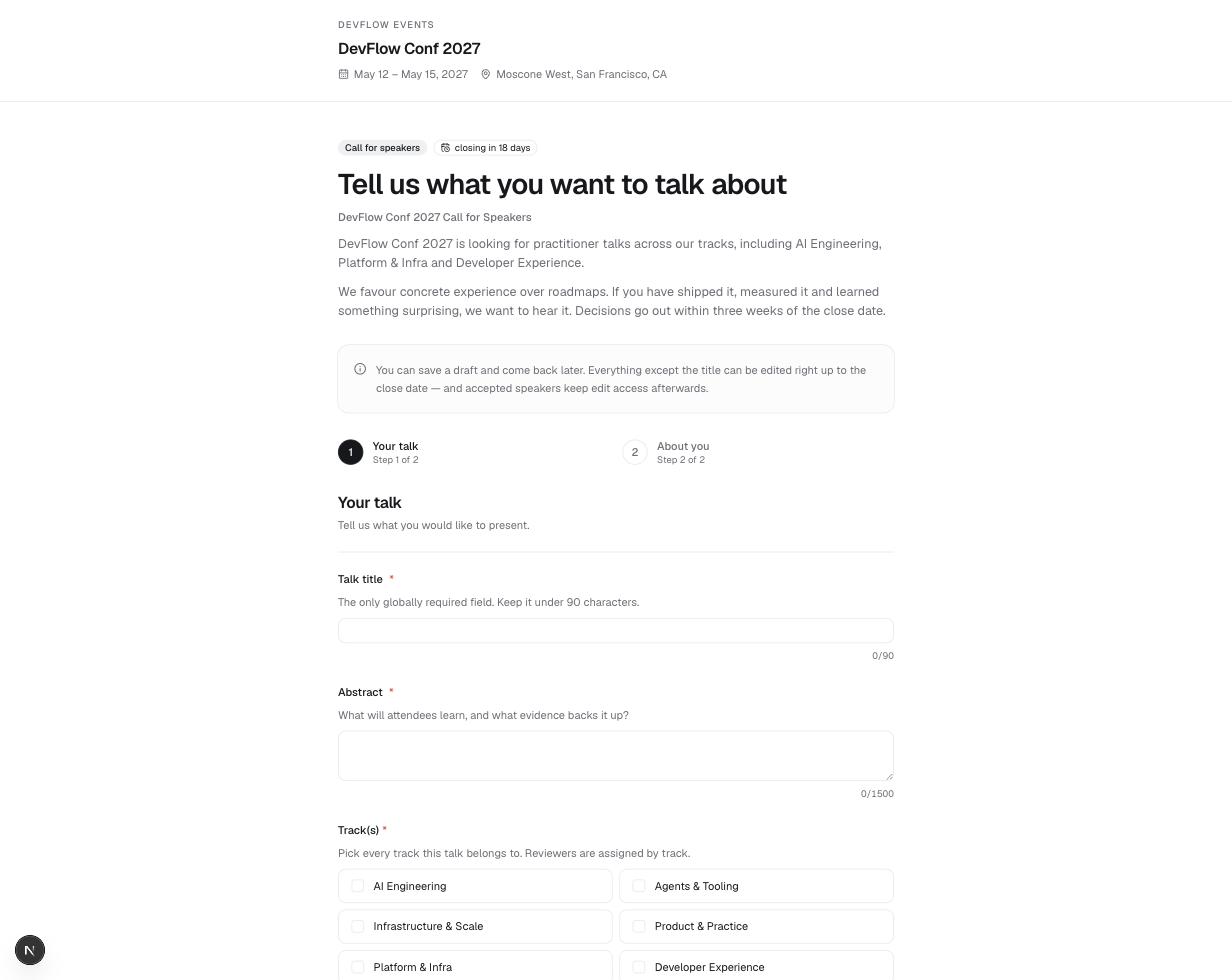
The flow
The link (/cfp/<event>/<form>) is fully public — nobody signs up or signs in to submit. The form runs in two steps:
- Your talk — the session questions from your form builder: title, abstract, tracks, format, and anything you added. Conditional questions appear as their triggers are answered.
- About you — the speaker questions, always ending with first name, last name, and email (those three are built in and required — the confirmation and any decision go to that address). Up to five co-presenters can be added here, each with their own name, email, role, and bio.
Submitting creates (or updates) the speaker’s contact record by email — the same person submitting twice never becomes two people, and a second submission never blanks out details an organizer already filled in.
Drafts
Save as draft keeps an unfinished submission on the speaker’s own device (browser storage) — returning to the link offers Resume draft. The draft is cleared only after a successful submit.
Deadlines and limits
- The close date shows as a badge (“closing in 18 days”). After it passes, the form is replaced with a “Submissions are closed” notice — and existing submissions become read-only in the portal too.
- Per-submitter limits are enforced at submit time with a clear message telling the speaker to contact the organizers if they need a change.
After submitting
- The success page shows your custom title and message, confirms which proposal was received, and explains what happens next. The confirmation email address is shown masked (
m•••@a•••.com) since the page URL is shareable. - A confirmation email goes out automatically (if enabled on the form), and the submission lands in Submissions — and in Airtable, if connected.
- Buttons offer Submit another proposal and Go to the speaker portal, where edits and co-presenter changes live from here on — see The speaker portal.