Assign speaker tasks
Give accepted speakers a checklist — travel forms, bio confirmation, slide uploads — and let the reminders chase so you don't have to.
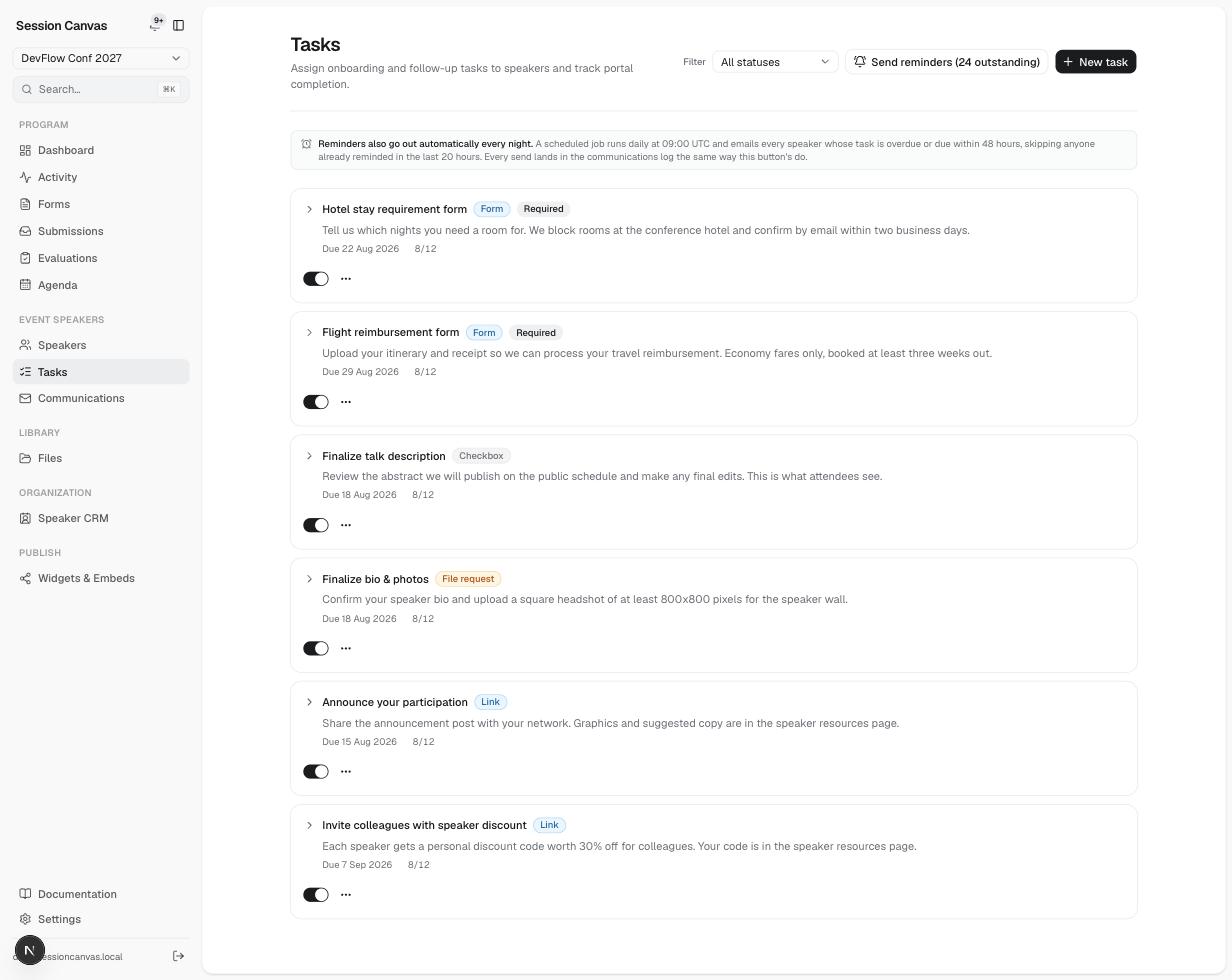
Task types
| Type | What the speaker does in the portal |
|---|---|
| Checkbox | Reads the instructions and marks it complete (undoable). |
| Form | Answers a free-text prompt — the answer is stored with the task. |
| File request | Uploads a file (slides, headshot, contract). The upload itself completes the task and enters the files review flow. |
| Link | Opens an external link (a DocuSign, a travel portal) and ticks it off. |
Each task has a title, rich instructions, an optional due date, and a Required flag. The active/inactive toggle takes a task out of circulation without deleting anyone’s history.
How tasks reach speakers
Active task templates are assigned automatically when a proposal is accepted — accepting creates the speaker, the session, and their checklist in one step (see Evaluations). New tasks created later can be assigned to existing accepted speakers too, and each assignment triggers a “new task” email.
Reminders
- Automatic: a scheduled job runs nightly (09:00 UTC) and emails every speaker whose task is overdue or due within 48 hours — skipping anyone already reminded in the last 20 hours, so nobody gets nagged twice a day. One email per speaker, listing all their outstanding tasks.
- Manual: the Send reminders button mails every outstanding task right now, no dedupe — a human just asked.
Every reminder lands in the Communications email log, whichever path sent it.
Tracking completion
Each task shows its completion count (e.g. 8/12); expanding a task lists who is outstanding. The dashboard’s Speaker tracking tab rolls this up per speaker — accepted speakers with outstanding onboarding, sorted by who’s furthest behind — and organizers can complete a task on a speaker’s behalf when it arrives by other means.