Embeds, widgets, and feeds
Publish the live schedule and speaker line-up anywhere: hosted pages, iframe widgets, and machine-readable feeds — all reading the same published data.
Everything public flows from one gate: a session appears on these surfaces once it is published and has a scheduled time (see Build the agenda). Speakers appear through their published sessions. Nothing here requires a login.
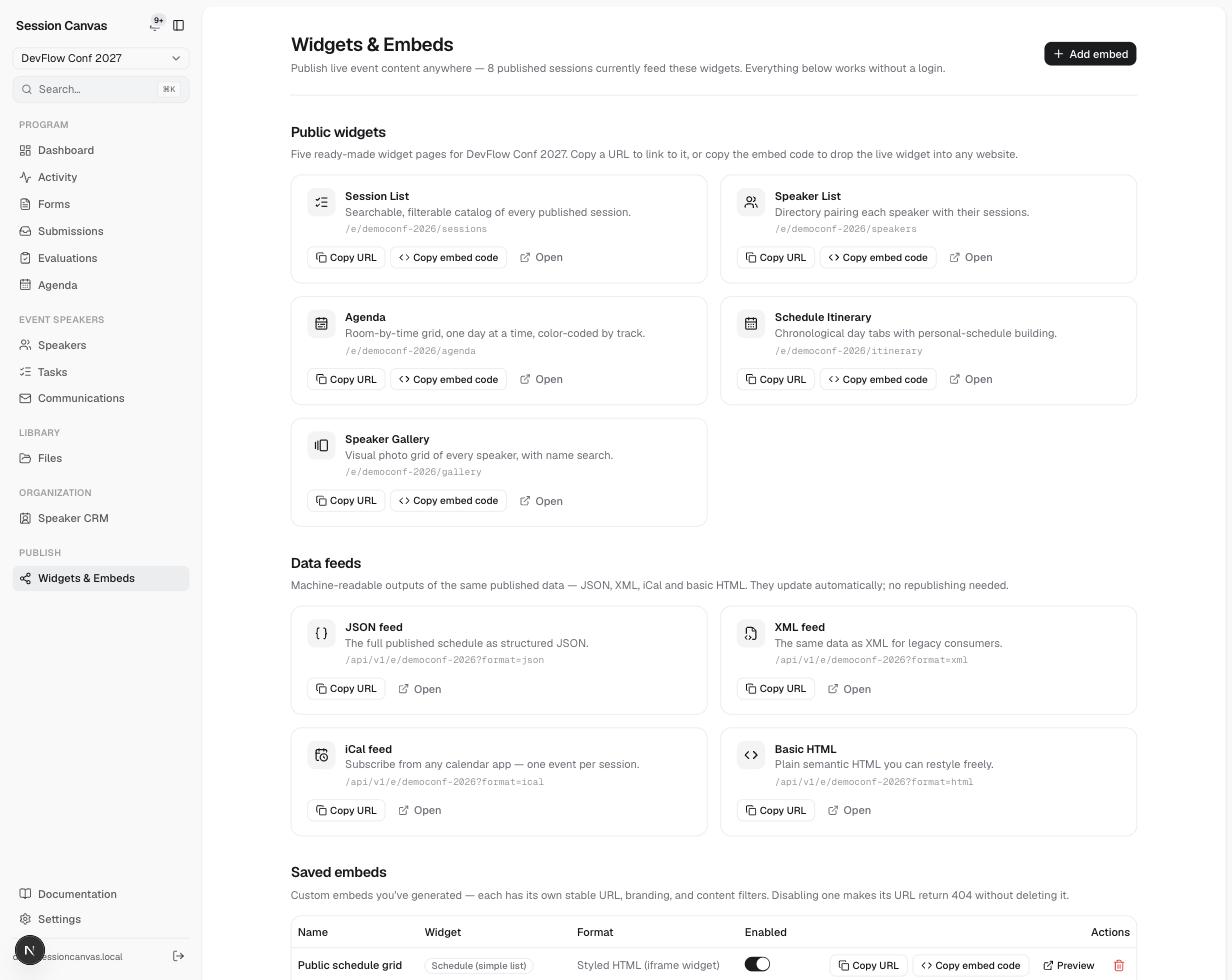
Public widget pages
Widgets & Embeds lists five ready-made pages for your event, each with Copy URL / Copy embed code / Open:
| Widget | URL | What it shows |
|---|---|---|
| Session List | /e/<event>/sessions | Searchable, filterable catalog of every published session |
| Speaker List | /e/<event>/speakers | Directory pairing each speaker with their sessions |
| Agenda | /e/<event>/agenda | Room-by-time grid, one day at a time, color-coded by track |
| Schedule Itinerary | /e/<event>/itinerary | Chronological day tabs with personal-schedule building (saved in the visitor’s browser) |
| Speaker Gallery | /e/<event>/gallery | Visual photo grid of every speaker, with name search |
Friendly top-level aliases redirect to the current event: /schedule, /sessions, /speakers, /gallery, /agenda, /program, /itinerary.
Embedding in your website
Copy embed code gives you an iframe snippet ready to paste into any site (the mobile-friendly pages resize inside it):
<iframe src="https://your-app.example.com/embed/<slug>"
  style="width:100%;height:900px;border:0;border-radius:12px;"
  loading="lazy" title="Schedule — Your Event"></iframe>
Saved embeds are custom variants you generate with Add embed: pick a widget type, an output format, an accent color, a track filter (show only some tracks), and which fields to hide. Each saved embed gets its own stable /embed/<slug> URL — and disabling one makes its URL return 404 without deleting it, so you can turn a widget off site-wide in one click.
Data feeds — for hackers
The same published data is available machine-readable from /api/v1/e/<event-or-embed-slug> with a format parameter:
?format=json— the full schedule as structured JSON:{ event, sessions: [{ title, startTime, endTime, room, tracks, speakers, … }] }?format=xml— the same data as XML for legacy consumers?format=ical— an iCal feed any calendar app can subscribe to, one event per session?format=html— plain semantic HTML you can restyle freely
Feeds are served with Access-Control-Allow-Origin: * and a 60-second cache, so you can fetch them from any site’s JavaScript. Using an embed slug applies that embed’s track filter to the feed too.