Send emails and calendar invites
Templated email with merge fields, a full delivery log, and real calendar invites that update themselves when the schedule changes.
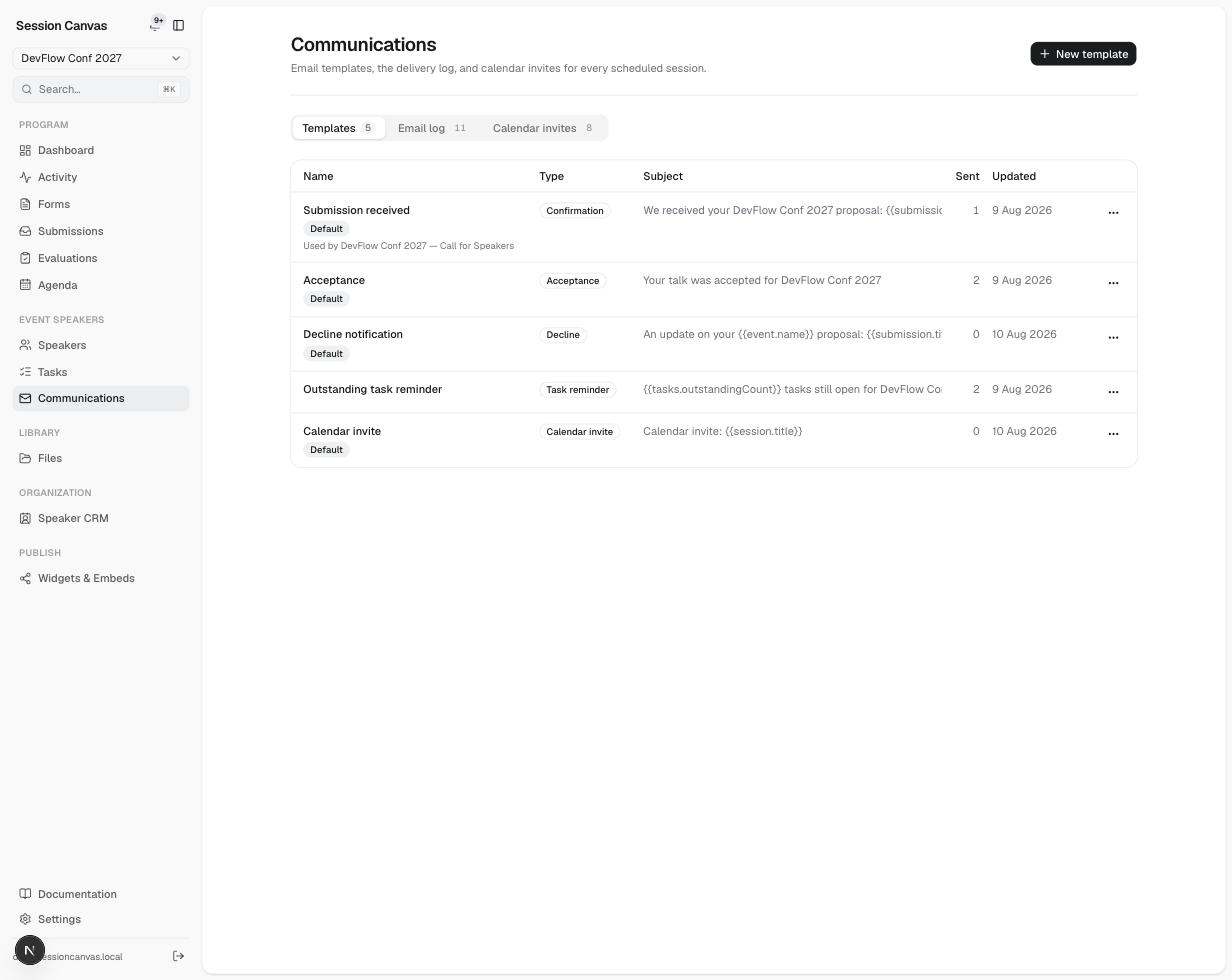
Templates and merge fields
Communications → Templates holds an editable template for each automated email type — Submission received, Acceptance, Decline notification, Outstanding task reminder, and Calendar invite — seeded with sensible defaults you can rewrite freely. Bodies support merge fields in {{double braces}}:
| Group | Fields |
|---|---|
| Recipient | contact.firstName, contact.lastName, contact.fullName, contact.email, contact.company |
| Submission | submission.title, submission.id, form.publicTitle |
| Event | event.name, event.location, event.startDate, event.endDate, event.decisionDate, event.timezone |
| Session | session.title, session.date, session.time, session.room |
| Portal & tasks | portal.url, tasks.outstandingCount, tasks.nextTitle, tasks.nextDueDate |
A field that has no value for a given recipient renders as nothing (never a raw {{token}}), and the surrounding punctuation is tidied so the sentence still reads.
Decision emails
Accepting or declining a proposal never emails anyone by itself — you send acceptance and decline notifications deliberately, with a preview of the merged email for each recipient before anything goes out. Declines can carry a personal note; every send lands in the Email log with its full rendered body and delivery status.
Calendar invites
The Calendar invites tab sends each speaker a real calendar invitation for their scheduled session — a proper .ics attachment (METHOD:REQUEST, with organizer and RSVP-able attendee), not a link.
- Each (session, speaker) pair keeps a stable invite identity. When the room or time changes, re-sending bumps the invite’s
SEQUENCEso the entry already in the speaker’s calendar updates in place — no duplicates, no “please delete the old one”. - Cancelling a session sends a
METHOD:CANCELupdate that removes the entry from their calendar. - Only confirmed sessions with a start and end time can be invited; the dashboard nudges you when scheduled sessions still need an invite (or a re-send after a schedule change).
What sends automatically vs. deliberately
| Automatic | Only when you click |
|---|---|
| Submission confirmation (if enabled on the form) | Acceptance and decline notifications |
| Portal sign-in links (when a speaker requests one) | Calendar invites, updates, and cancellations |
| “You’ve been added to a proposal” (co-presenters) | Bulk / ad-hoc outreach from the speaker list and CRM |
| Nightly task reminders (09:00 UTC, only tasks due within 48 h or overdue, max one email per person per day) | Send reminders on Tasks — mails every outstanding task immediately |