Manage submissions
Every proposal in one table — filter it, work the decision queue, and export it when someone asks for a spreadsheet.
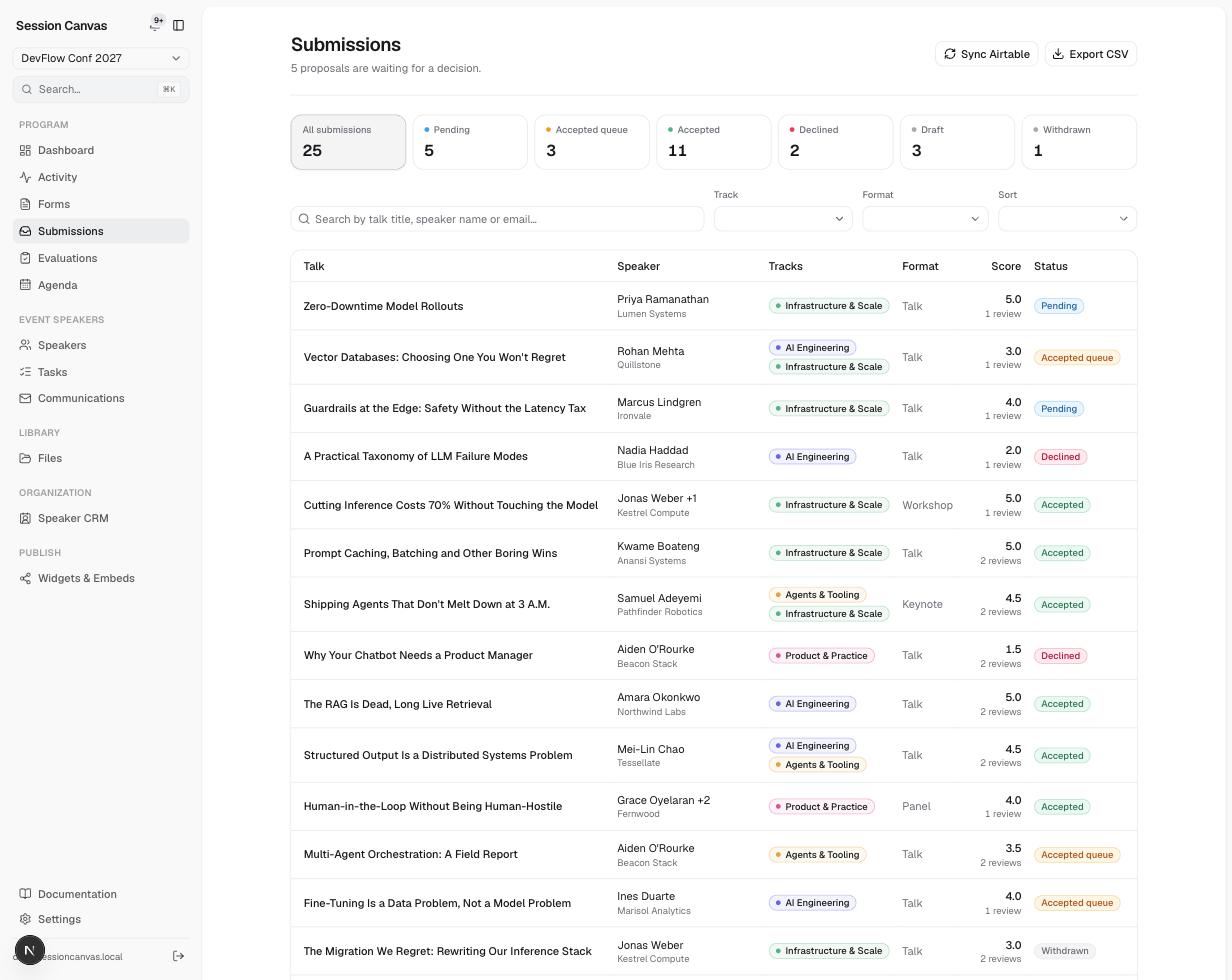
The status pipeline
Every live proposal sits in exactly one status:
| Status | Meaning |
|---|---|
| Pending | Submitted, no decision yet — the “unreviewed” queue. |
| Accepted queue | A soft yes (“maybe / probably”) — shortlisted, not yet committed. |
| Accepted | On the programme. Accepting creates the speaker record, the session, and the onboarding tasks in one step. |
| Declined | Not this time. No email is sent until you send one deliberately. |
| Draft | Started by a speaker but never submitted. Excluded from counts, reviews, and Airtable. |
| Withdrawn | Pulled by the speaker or by you after submission. |
Work the table
- Status cards across the top (All submissions, Pending, Accepted queue, Accepted, Declined, Draft, Withdrawn) filter with one click and show live counts.
- Search matches talk title, speaker name, or email; the Track, Format, and Sort controls narrow further.
- The Score column shows the review average and count from Evaluations.
- Click a row to open the full proposal: answers, participants, review history, and the status controls for accepting, queueing, or declining it.
Export and sync
- Export CSV downloads the current view — also available from the ⌘K palette anywhere in the admin.
- Sync Airtable pushes and pulls immediately instead of waiting for the scheduled run — see Airtable sync.