Review and score submissions
Give each reviewer a queue scoped to their tracks, collect scores, and turn the leaderboard into a programme.
How routing works
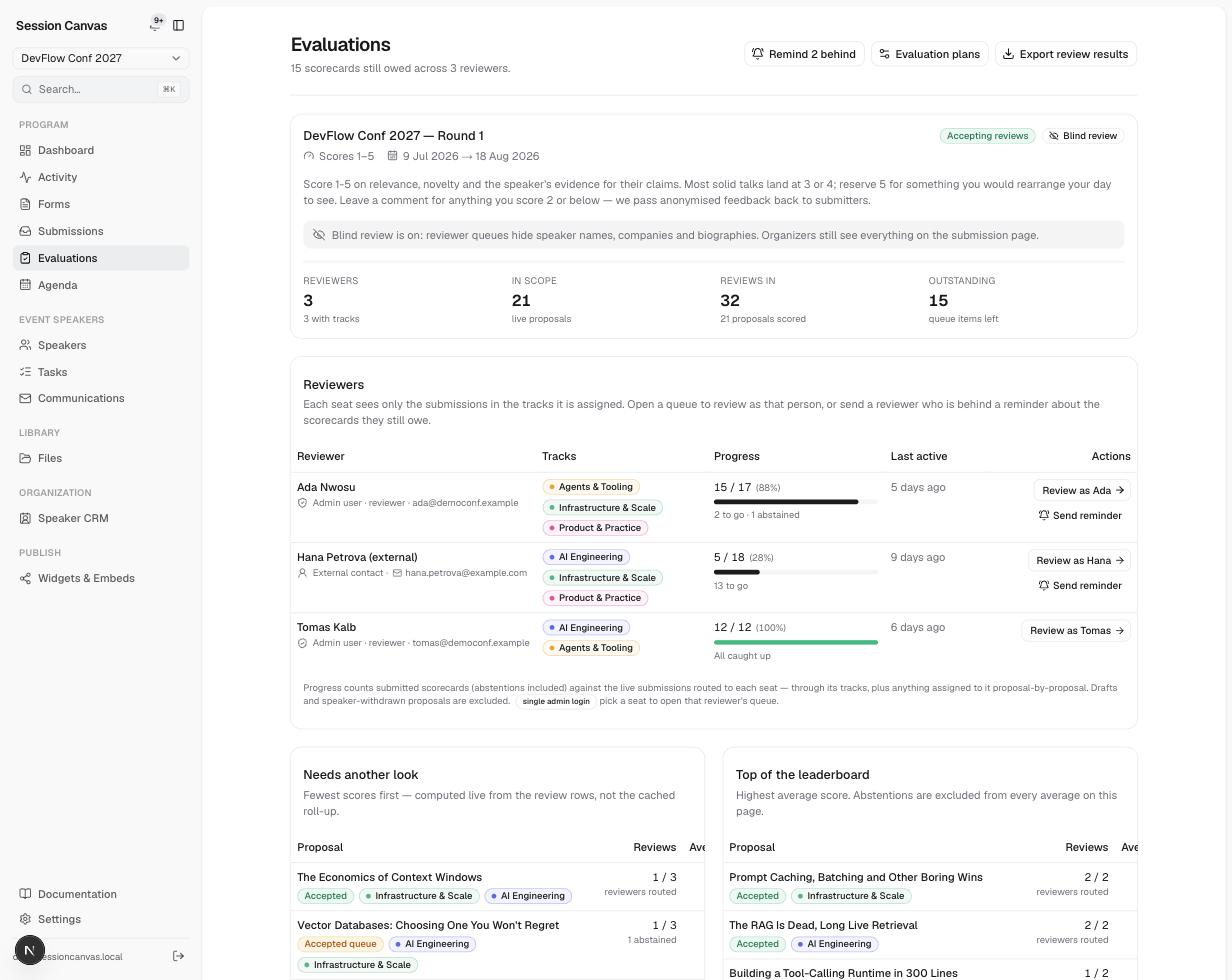
Reviewers are assigned one or more tracks. Each reviewer sees exactly the live submissions in their tracks — a proposal tagged with two tracks appears in both reviewers’ queues. Drafts and withdrawn proposals are excluded automatically. There is no per-proposal assignment spreadsheet to maintain: change a reviewer’s tracks and their queue recomputes.
Set up a review round
Create the plan
Evaluation plans holds the round: its scoring scale (e.g. 1–5), open/close dates, and the instructions reviewers see above every scorecard.
Choose blind review (or not)
With Blind review on, reviewer queues hide speaker names, companies, and biographies. Organizers still see everything on the submission page.
Add reviewers and their tracks
Each seat lists its tracks, progress, and last activity. Reviewers open their queue from a link — no password to manage. On a single-admin deployment, pick a seat to review as that person.
Nudge the stragglers
Remind behind (or the per-reviewer Send reminder) emails anyone still owing scorecards — with a confirmation first, and every send logged in Communications.
What reviewers do
A reviewer works through their queue proposal by proposal: the submission on one side, the scorecard on the other. They score, comment, and can abstain on a conflict of interest — abstentions count as handled, not skipped. Progress bars on the evaluations page compute live from the review rows.
Turn scores into decisions
The Top of the leaderboard and Needs another look cards surface the extremes; Export review results gives you the full grid. Decide from the submissions table — the Score column carries the averages there.